About xnano
xnano is designed to bring the simplicity of GNU nano into the modern era. Built with Rust, it adds highly requested features like syntax highlighting, multi-theme support, soft line-wrap, and line numbers, while maintaining the familiar interface and speed you expect.
Screenshots
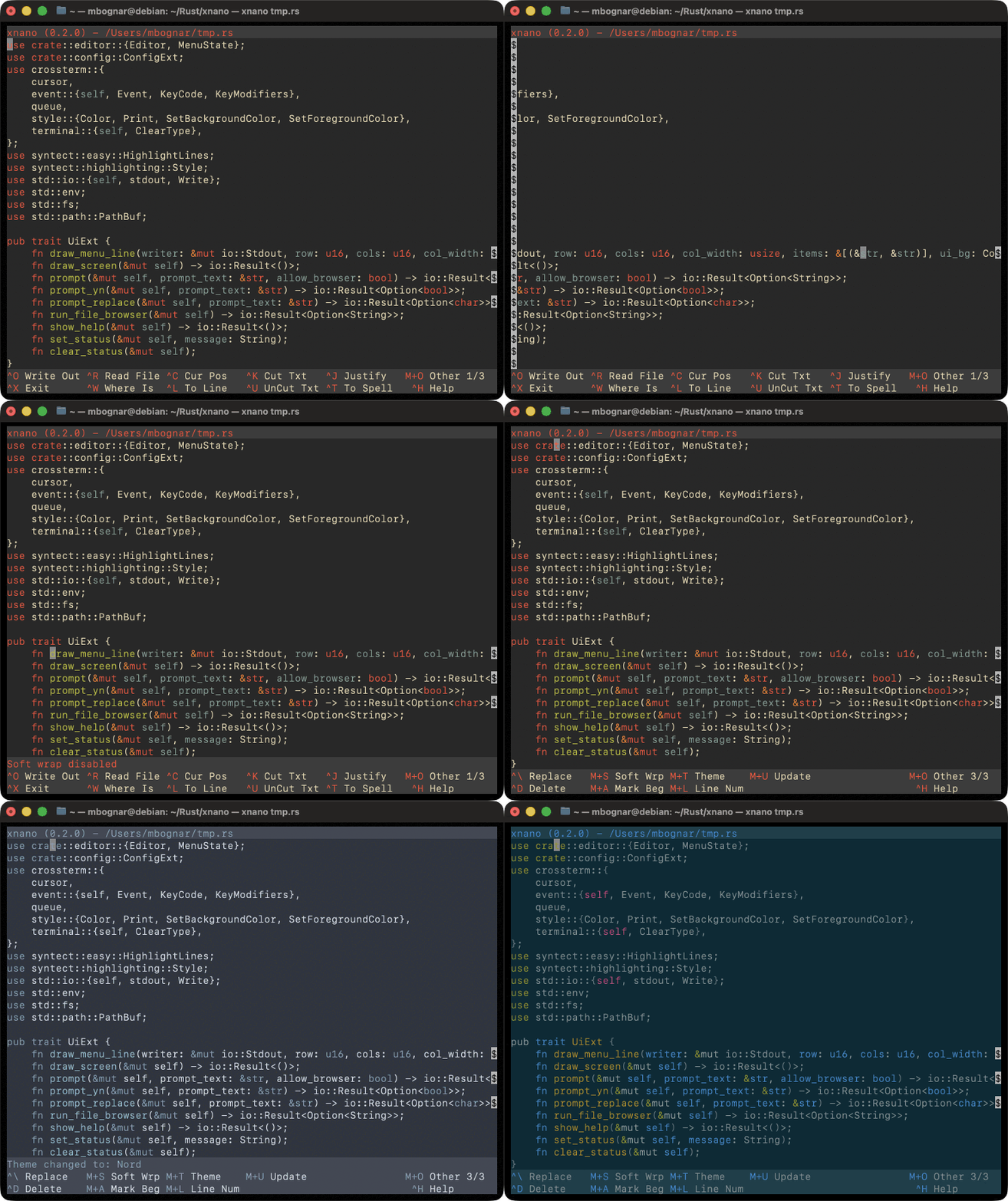
Syntax Highlighting & Built-in Themes
Clean interface with persistent soft-wrap, theme
Features
- Syntax Highlighting: Built-in support for multiple languages.
- Themes: Over two-dozen common themes included. Cycle easily with
Meta+T. - Persistence: Theme, line numbers, and soft wrap settings are stored automatically in
~/.xnano/xnanorc. - Cross-Platform: Fully tested and supported on macOS and Linux (Debian).
Pre-Compiled Binaries
Download the latest release for your operating system directly from GitHub:
Install via Cargo
If you already have Rust installed, you can easily pull xnano directly from crates.io:
cargo install xnano
Or build it from the repository:
git clone https://github.com/mabognar/xnano
cd xnano
cargo install --path .
Help & Keyboard Shortcuts
xnano uses standard nano keyboard shortcuts. The caret (^) represents the Ctrl key, and M represents the Meta (or Alt/Option) key.
File & System
^GGet Help^XExit^OWrite Out^RRead File
Movement
^PMove up one line^NMove down one line^BMove left one character^FMove right one character^AMove to start of line^EMove to end of line^YMove up one page^VMove down one page
Editing
^KCut Line^UPaste Line^DDelete character under cursorBackspaceDelete character before cursor^JJustify current paragraph^IInsert tab^^Mark text (i.e. Ctrl + Shift + 6)
Search & Replace
^WWhere Is (Search)^\Replace
Tools & Settings
^CCursor Position^TSpell Check^LGo to line numberM-TCycle ThemeM-WToggle Soft WrapM-LToggle Line Numbers